
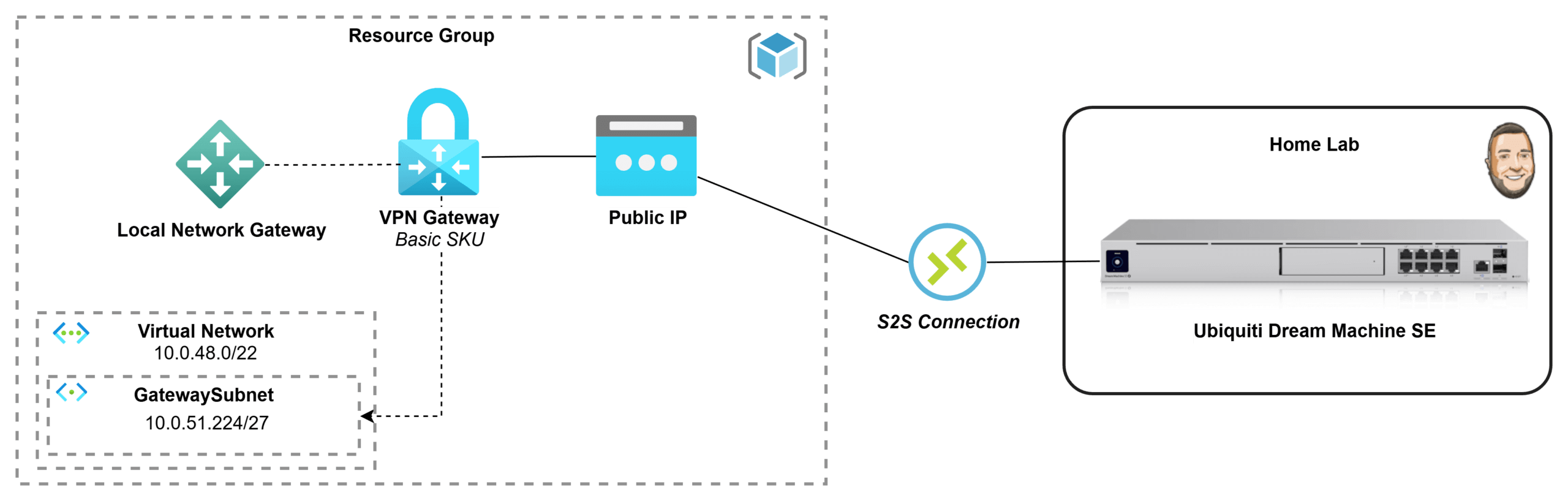
If you’ve got an Azure subscription through Visual Studio Enterprise, you’ve basically been handed the perfect playground for testing and learning in the cloud. But once you start building resources inside a private Azure network, you quickly hit the next challenge: how do you securely connect it back to your home lab without exposing everything to the internet? In this post, I’m going to go through the process of how I deployed a Basic Azure Virtual Network Gateway and connected it to my Ubiquiti Dream Machine, creating a secure site-to-site VPN tunnel between my Azure VNet and my home network. I wanted to document what that process looked like for me and share it in case it helps someone else doing the same thing.
Azure
How to Takeover an Unmanaged Directory in Azure

When trying to create an Azure subscription I received the following error:
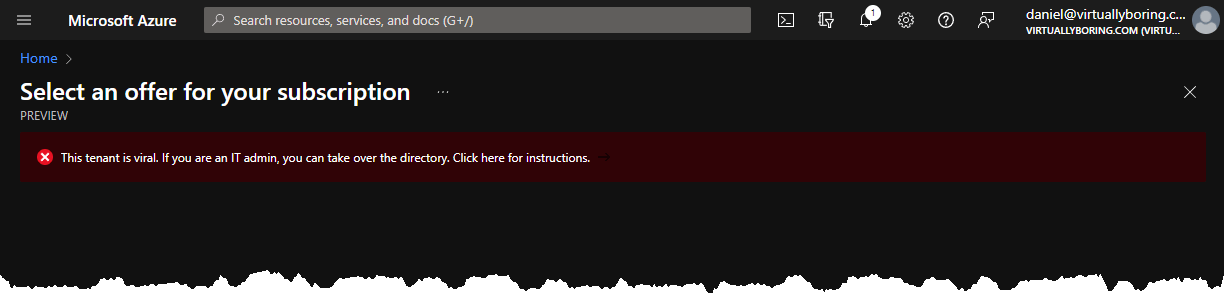
After some reading a viral tenant is another meaning for an unmanaged directory. An unmanaged directory is a directory that was automatically created when a user with @virtuallyboring.com created an Azure account. Its a directory that has no global administrator. Microsoft created a Azure Active Directory (AAD) tenant in the background and is sitting there unmanaged. This is so users can create an account and use resources without it being a blocker that the domain isn’t claimed in AAD.
There are two ways to take over an unmanaged directory:
- Internal admin takeover:
- Your account gets elevated to global administrator
- No users, domains, or service plans are migrated
- External Admin Takeover:
- Add the unmanaged domain name to a tenant where you are a Global Administrator
- A mapping of users to resources is created in your managed Azure Active Directory
- Users can continue to access services without interruption
Source: Admin takeover of an unmanaged directory – Azure AD | Microsoft Docs
For my example I will be using a internal admin takeover.